
Ugreen 30715 interface card - internal M.2 adapter
8.9/10 from 537 reviews of our shop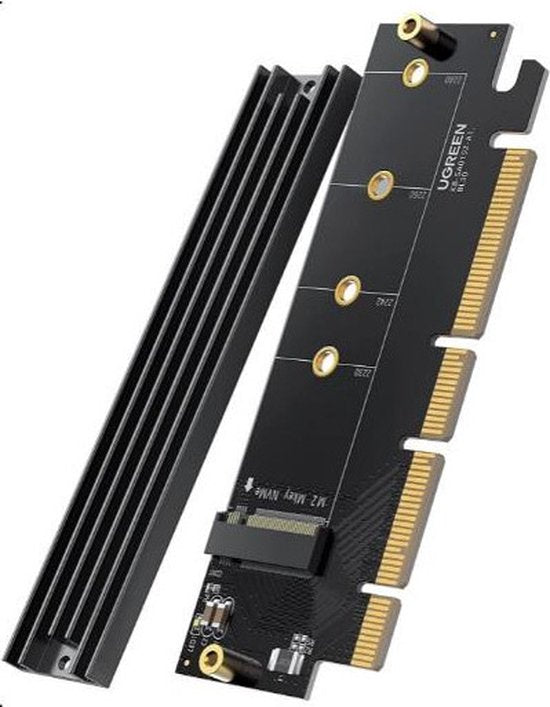

Ideaal als je...
- Een M.2-apparaat zoals een SSD wilt aansluiten op een PCIe-slot
- Een vrij PCIe-slot op je moederbord hebt voor een interne kaart
- Met PCIe 4.0 wilt werken en je moederbord die standaard ondersteunt
Let op als je...
- Een externe oplossing zoekt: deze kaart wordt intern gemonteerd
- Een gebruiksaanwijzing in het Nederlands nodig hebt
- Een ander type controller nodig hebt dan M.2
Description
Internal M.2 adapter that connects an M.2 device to a PCIe slot in your computer. The card follows the PCIe 4.0 standard.
About this product longer description
The Ugreen 30715 is an interface card with a PCIe host interface and an M.2 output. You fit the card into a PCIe slot on your motherboard and connect an M.2 device to it, for example an M.2 SSD.
PCIe 4.0 is used as the expansion card standard. The controller is of the M.2 type, which determines what format of device the card supports.
This is an internal card: it is built into your computer's case rather than connected externally. The included instructions are universal and therefore not tied to a particular language.
Features 5 features
- Host interface PCIe - the card fits into a PCIe slot on the motherboard
- M.2 output - you connect an M.2 device to this, such as an M.2 SSD
- PCIe 4.0 - the card follows this expansion card standard
- Internal card - built into the computer case, not connected externally
- Universal instructions - the included instructions are not tied to a particular language
Specifications 6 technical details
| Manual language | Universal |
| Model | Ugreen 30715 interface card/adapter Internal M.2 |
| Manufacturer article number | 30715 |
| Product language | Universal |
| Dimensions (l x w x h) | 122 x 92 x 16 mm |
| Weight (incl. packaging) | 75 g |
Item number P-10562-8EAN 6957303837151Manufacturer number 30715Brand Ugreen
Frequently asked questions 3 questions
What is the Ugreen 30715 interface card for?
It is an internal adapter that lets you connect an M.2 device to a PCIe slot in your computer. This means you can use an M.2 SSD, for example.
Which connection do I need in my computer?
A free PCIe slot on the motherboard. The card's host interface is PCIe; PCIe 4.0 is used as the expansion card standard.
Is this an internal or external adapter?
Internal. The card is fitted inside your computer's case and does not offer an external connection on the outside.
Warranty & returns conditions
- Caasi warranty - 1 year: product faulty? Contact Caasi. We arrange free repair or replacement. Is the product no longer in our range? Then you get the current market value refunded
- Covered: defects in materials and workmanship under normal use
- Not covered: wear and tear, damage from drops or knocks, incorrect use
- Returns policy: 30 days to change your mind - not satisfied? Return it for free
What customers say
4.6 out of 5 from 12 product reviews by verified buyers Shop 8.9/10 from 537 reviews via Feedback Company
-
originele apple cover
heel mooi voor een klein prijsje
 Apple Smart Cover - iPad 2019 & iPad Air 10,5 - Wit
-
Netjes op tijd
Netjes op tijd bezorgd!
 L'Oréal Paris Infaillible 24H lippenstift - 113 Invincible Sable - verzorgend met hyaluronzuur - 5,7 ml
-
Authentique
Authentique, très bon dupe d'Althairïr
 French Avenue Liquid Brun eau de parfum - limited edition - 150 ml
-
Eindelijk 1 die blijft zitten
Eindelijk 1 die blijft zitten, super!
 Joyroom telefoonhouder auto - dashboard auto-lock 360° draaibaar - herbruikbaar - geschikt voor 4,7–7 inch smartphones - Zwart
Every review comes from a customer who bought the product from us. We ask for it after delivery and change nothing.