




Description
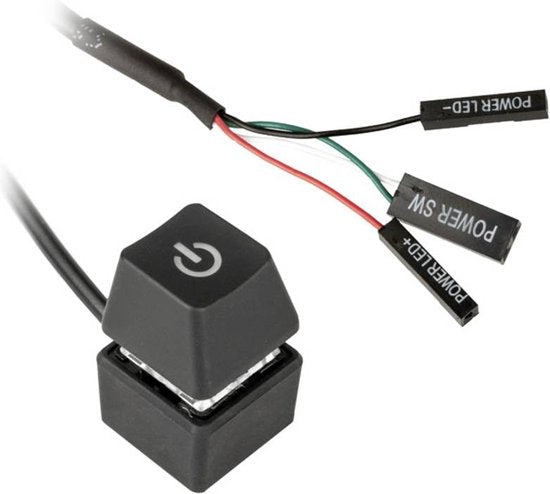
External power button for easy switching on and off your PC from your desk. This Kolink KL-EXPWR has a stylish keycap look and a blue LED indicator.
About this product external PC switch
The Kolink KL-EXPWR external power button offers a practical solution for operating your PC without having to crawl under your desk. You connect this external switch to the power connections of your motherboard.
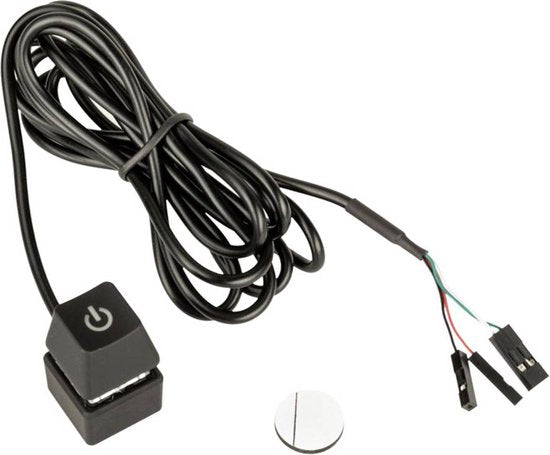
The device has a stylish keycap look in black plastic and is equipped with a blue LED that indicates the status of your PC. You can easily place the switch on your desk and secure it with the included adhesive strip.
With a cable length of 1.65 meters, you have sufficient reach to position the switch in a convenient spot. The connection is made via wiring in the same place where the power and LED switches of your case are normally connected.
This external power button is suitable for all standard motherboards with power connections and does not require a separate power supply or drivers.
Features 6 properties
- External control - switch your PC on and off from your desk
- Keycap design - stylish look that matches gaming setups
- LED indicator - blue LED shows the status of your PC
- Easy installation - attach with included adhesive strip
- 1.65 meter cable - sufficient length for flexible placement
- Direct connection - connect to motherboard power connections
Specifications 8 technical details
| Model | KL-EXPWR |
| Color | Black |
| Material | Plastic |
| Dimensions | 19 x 30 mm (W x H) |
| Connection | Wired |
| LED lighting | Blue |
| Cable length | 1.65 meters |
| CE marking | Visible |
What's in the box? 2 components
Main components
- Kolink KL-EXPWR external power button
- Adhesive strip for attachment
Frequently Asked Questions 4 questions
How do I connect this external power button?
You connect the cable to the same power connections on your motherboard where your case's power button is normally connected. These are usually two small pins labeled PWR or POWER.
Does this work with every motherboard?
Yes, this external power button works with all standard motherboards that have power connections. This includes almost all modern motherboards for desktop PCs.
Can I just leave my case power button connected?
No, you can only connect one power button at a time to the motherboard connections. You must choose between the case power button or this external button.
Does the LED lighting require power?
No, the blue LED receives power via the motherboard connection and does not require a separate power supply. The LED automatically turns on when your PC is on.
Warranty & Returns conditions
- Caasi warranty - 1 year: product defective? Contact Caasi. We will arrange free repair or replacement. Is the product no longer in our assortment? Then you will be reimbursed the current market value.
- Covered: defects in material and manufacturing under normal use
- Not covered: wear and tear, fall or impact damage, improper use
- Return policy: 30-day cooling-off period - not satisfied? Return for free
Secure payments at Caasi
Your payment information is processed securely. We do not store credit card details nor have access to your credit card information.