
Microsoft Windows 11 Pro - Dutch - 1 Device - PC Download
8.9/10 from 537 reviews of our shop



Ideaal als je...
- Een volledige licentie zoekt en geen upgradeversie
- Je vensters wilt indelen met snap-lay-outs en vastgezette appgroepen
- Teams gebruikt en vanaf de taakbalk wilt delen of dempen
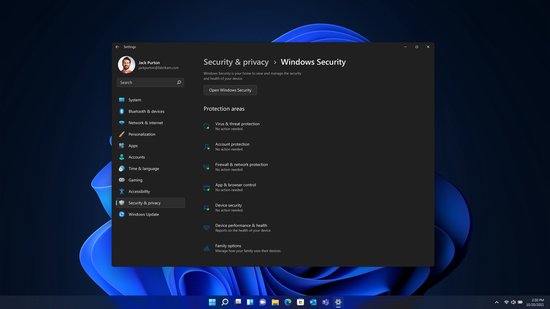
- Beveiliging wilt die vanaf het opstarten via hardware werkt
Let op als je...
- Een pc hebt die de gratis Windows 11-upgrade niet kon installeren
- Meerdere pc's wilt activeren: deze licentie geldt voor één apparaat
- Een installatieschijf of usb-stick nodig hebt in plaats van een download
Description
Item number P-12497-7EAN 0889842965445Manufacturer number FQC-10572Brand Microsoft
Digital licence for Windows 11 Pro in Dutch, valid for one device. You receive a product code that you enter through the activation settings on your Windows PC.
About this product longer description
Windows 11 Pro is the Pro edition of Microsoft's operating system, focused on security, versatility and working across a wide range of devices and configurations. It is built on the same foundation as Windows 10, so app compatibility and cloud management are preserved with familiar tools and processes.
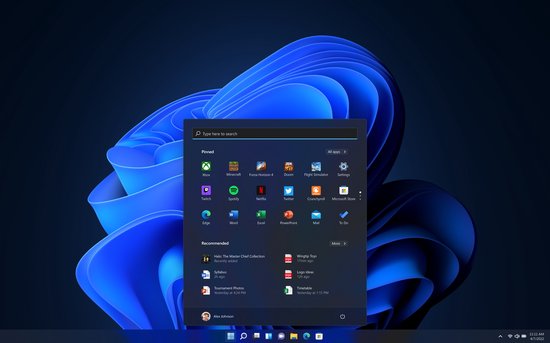
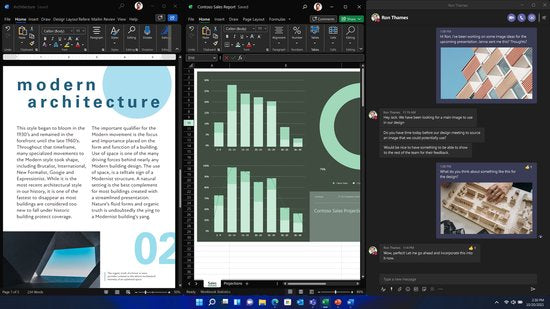
For arranging your screen there are snap layouts: preconfigured layouts that adapt to the screen size. Apps you use together can be pinned as a group and picked up again later, even after opening another app or turning your monitor off and on. Start, the taskbar and the notification centre have been refreshed, with fewer steps to get things done.
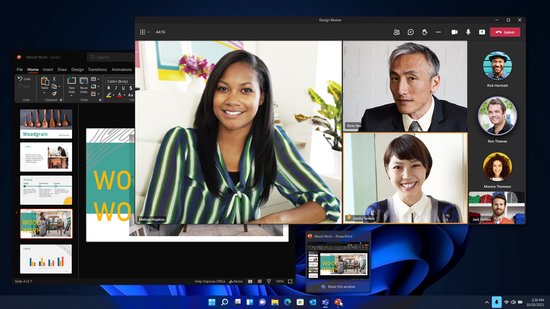
Teams is integrated into the taskbar, so you can share files or mute sound during online meetings without opening the app. Intelligent noise suppression keeps background noise in the background. On the security side, Windows 11 works with built-in, hardware-based protection that is active from startup.
This version is a full licence for one device and is supplied as a digital download. The availability of features and apps may vary by region, and some features require specific hardware.
Features 6 features
- Full licence for 1 device - the product code activates Windows 11 Pro on one PC
- Snap layouts - preconfigured layouts that adapt to your screen size
- Pinning groups - your apps stay together as a set, even after turning your monitor off and on
- Teams in the taskbar - share files and mute sound without opening the app, with intelligent noise suppression
- Hardware-based security - protection is active from startup, without you having to set it up first
- Digital download - you get a product code instead of a disc or USB stick
Specifications 14 technical details
| Product type | Software, digital download |
| Operating system | Windows 11 Pro |
| Platform | Windows |
| Language | Dutch |
| Licence type | Full licence |
| Number of devices per user | 1 |
| Processor | 1 GHz or faster with 2 or more cores |
| RAM | 4 GB |
| Storage | 64 GB or larger storage device |
| Graphics card | Compatible with DirectX 12 or higher, with WDDM 2.0 driver |
| Video memory | Shared |
| Internet required for installation | Yes |
| Update support | At least 12 months after launch date |
| Manufacturer article number | FQC-10572 |
Frequently asked questions 4 questions
How do I activate Windows 11 Pro with this code?
On your Windows PC, type "Activation" in the search bar and open the activation settings. There, choose "Change product key" and enter the code you received. Then click Next and then Start.
On how many devices can I use this licence?
This licence is intended for one device per user. If you want to activate multiple PCs, you need a separate licence for each PC.
What system requirements apply?
Your PC needs a processor of 1 GHz or faster with 2 or more cores, 4 GB RAM and a storage device of 64 GB or larger. The graphics card must be compatible with DirectX 12 or higher and have a WDDM 2.0 driver. Microsoft advises checking whether your device is suitable via support.microsoft.com/windows.
Will I receive a DVD or USB stick?
No, this is a digital download. You receive a product code to activate Windows 11 Pro; no physical disc or stick is involved. An internet connection is required for installation.
Warranty & returns conditions
- Caasi warranty - 1 year: product faulty? Contact Caasi. We arrange free repair or replacement. Is the product no longer in our range? Then you get the current market value refunded
- Covered: defects in materials and workmanship under normal use
- Not covered: wear and tear, damage from drops or knocks, incorrect use
- Returns policy: 30 days to change your mind - not satisfied? Return it for free
What customers say
4.5 out of 5 from 11 product reviews by verified buyers Shop 8.9/10 from 537 reviews via Feedback Company
-
Netjes op tijd
Netjes op tijd bezorgd!
 L'Oréal Paris Infaillible 24H lippenstift - 113 Invincible Sable - verzorgend met hyaluronzuur - 5,7 ml
 -
Authentique
Authentique, très bon dupe d'Althairïr
 French Avenue Liquid Brun eau de parfum - limited edition - 150 ml
 -
Eindelijk 1 die blijft zitten
Eindelijk 1 die blijft zitten, super!
 Joyroom telefoonhouder auto - dashboard auto-lock 360° draaibaar - herbruikbaar - geschikt voor 4,7–7 inch smartphones - Zwart
 -
Mijn vader gebruikte Kukident sinds jaren en moest later overstappen op Fixodent
Mijn vader gebruikte Kukident sinds jaren en moest later overstappen op Fixodent. Hij is blij dat Kukident nog te kopen is. Bedankt voor snelle, correcte aflevering. Ik bestel op zeker wanneer zijn Kukident bijna op is.
 Kukident kleefpasta - 40 gram
Every review comes from a customer who bought the product from us. We ask for it after delivery and change nothing.